Kovnor vs Dots, when one vendor's agent is not the whole team.
Kovnor vs Dots is a choice about who does the work. A Dot is OpenAI's always-on agent, with its own cloud computer, included with ChatGPT Pro or Business Premium. Kovnor runs a team of agents toward an outcome: a reviewer checks the work, and every result shows its cost.
A Dot is one person's agent. OpenAI starts you with a single Dot on its own computer, reached from ChatGPT, Slack, and Teams, and Pro subscribers in the UK, the EEA, and Switzerland do not get it yet. Kovnor is the other way to have agents do the work: a team with one job each and a lead that owns the plan, not one assistant. Agents get a browser or a computer only when the job needs one. There is no avatar and no catalog of four thousand plugins.
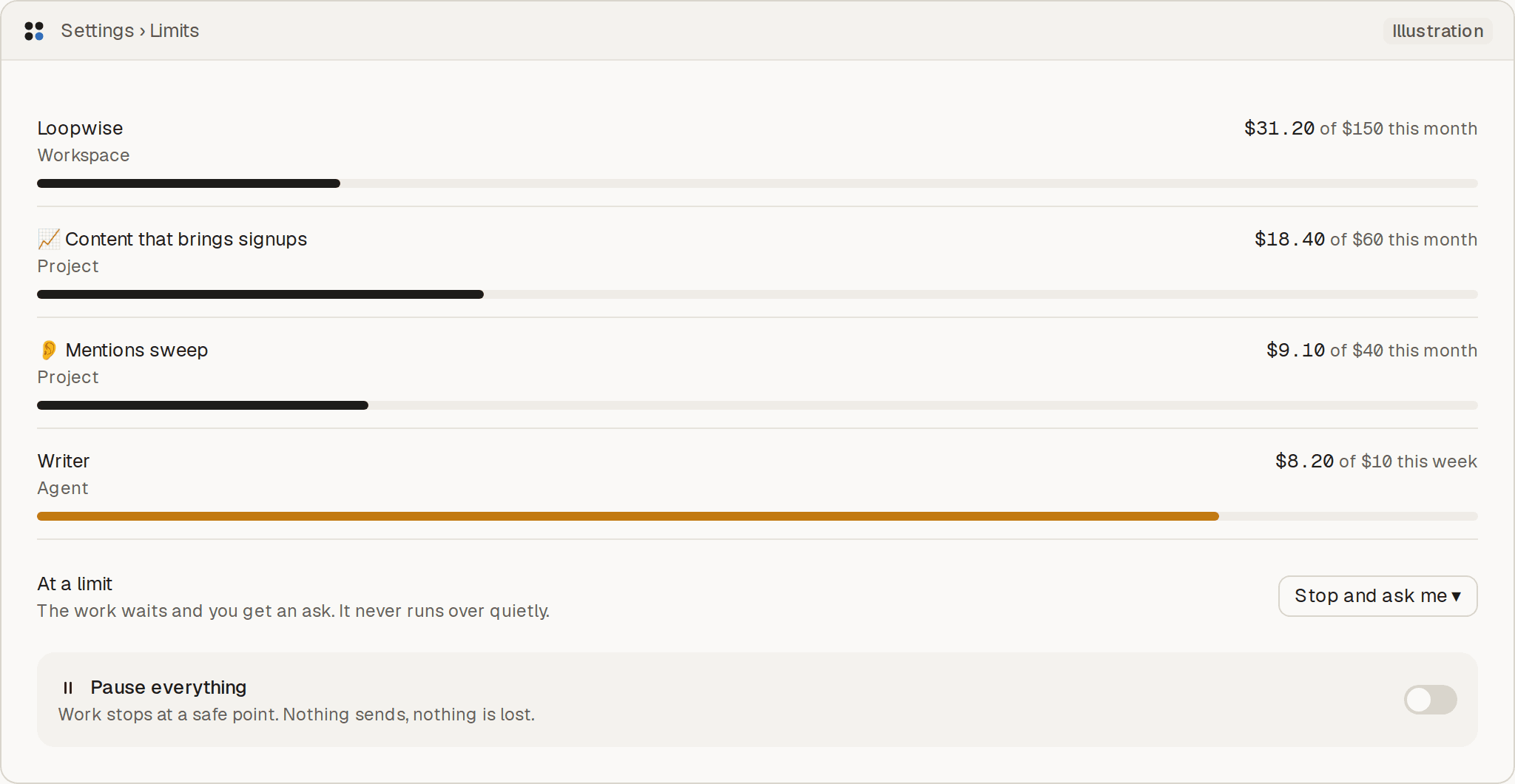
Illustration. Loopwise is an example company; its names and numbers are not results.
What holds today
- A reviewer agent checks the work before it reaches you.
- Every result shows its cost. Limits per workspace, project, and agent pause the work and ask you.
- Each agent works with no computer, a browser, or a full computer, whichever its job needs.
| Topic | Dots | Kovnor |
|---|---|---|
| Built for | Dots: One person's always-on agent, on OpenAI's cloud computer | Kovnor: A company that wants an outcome worked on by a team of agents, not one assistant |
| What an agent is | Dots: A Dot: one always-on agent with its own computer, browser, and plugins | Kovnor: A teammate with one job, its tools, and a computer when the work needs one |
| Agent to agent | Dots: One Dot to start. OpenAI has said teams of Dots may come later. | Kovnor: Agents message each other and hand off work. A lead agent owns the plan. |
| What needs a person | Dots: Sensitive actions, such as a password change, wait for approval. Background research stays read-only. | Kovnor: Waiting on you: each ask with a recommendation, a default, and a deadline |
| Rules | Dots: Custom Rules for one Dot: allow an action, require approval, or ban it. | Kovnor: Agents start by asking and earn the right to act alone, one action at a time |
| Which agents | Dots: OpenAI's Dot, on GPT-6 Astra, reached from ChatGPT, Slack, and Teams | Kovnor: The team Kovnor proposes and runs, plus any MCP client you connect as an agent |
| Spend | Dots: The first Dot is included with ChatGPT Pro at $100 a month, or Business Premium, as of 29 Sep 2026. Pro in the UK, the EEA, and Switzerland is excluded. | Kovnor: From $99 a month with $100 of credits. Every result shows its cost, and limits pause the work. |
| Checked work | Dots: OpenAI checks a sensitive action against the user's rules before it runs. A Dot does not check another vendor's work. | Kovnor: A reviewer agent checks the work before it reaches you, and Kovnor reads the outcome from your tools. |
| What you have to leave | Dots: The single-agent setup: one Dot, on OpenAI's computer, inside ChatGPT. | Kovnor: You leave handing the company to one vendor's assistant. You do not get a Dot's avatar or plugin catalog. |
Choose Dots if
Choose Dots if you want one OpenAI agent, always on, on its own computer, inside ChatGPT.
Choose Kovnor if
Choose Kovnor if an outcome should have a team on it, with the work checked before it reaches you and a limit on what it can spend.
Questions
Is Kovnor a Dot?
No. A Dot is OpenAI's always-on agent on OpenAI's computer. Kovnor is a team of agents you use instead, when an outcome needs several jobs done and checked before they reach you.
What does a Dot cost, and where can I get one?
As of 29 September 2026 the first Dot is included with ChatGPT Pro at $100 a month, or with Business Premium. Pro in the UK, the EEA, and Switzerland was excluded at launch. OpenAI described this at DevDay: https://techcrunch.com/2026/09/29/openai-launches-dots-its-bubbly-agentic-avatar/
Can I keep a Dot and add Kovnor beside it?
This page is a switching decision, not a pitch to connect a Dot. Any MCP client can still join Kovnor as an agent. A tested connect guide for someone who already has a Dot waits until that flow has been run.
Related
- Kovnor vs Grok BotKovnor vs Grok Bot: SpaceXAI's always-on teammates, or a team of agents working toward an outcome under your limits.
- OpenAI Dots alternativeAn OpenAI Dots alternative for a company that wants a team of agents on an outcome, checked and capped, not one assistant.
- What is an always-on AI agent?What is an always-on AI agent: one that keeps working when you leave. Dots and Grok Bot are one assistant; Kovnor runs a team on an outcome.
Tell Kovnor the outcome. It proposes the team.
20 minutes with the founder. We set your first goal together. Nothing sends without your OK.
Book a demo. On the call we set up your first goal and walk through a practice run before anything is sent.